
Integrate the Espago terminal to register transactions created in the eFitness system. This option is only available for clubs with the Business package.
Important! It is possible to integrate only one terminal per club.
First Step
Contact the Espago provider to enter into the appropriate agreement. In your communication, be sure to mention that the terminal will be integrated with the eFitness system.
Important! For the integration between the terminal and eFitness to function correctly, the operator for recurring credit card payments should be Espago.
Second Step
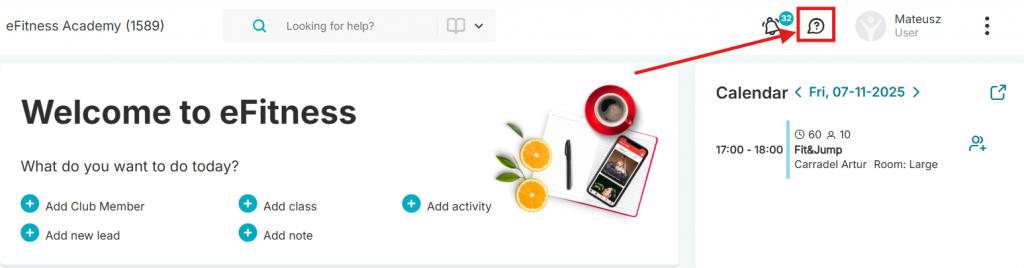
After completing all necessary formalities with Espago, send us a request through the ticketing system. To do this, on the top bar in the system, select the cloud icon with a question mark -> the “Issue ticket and discuss” button:
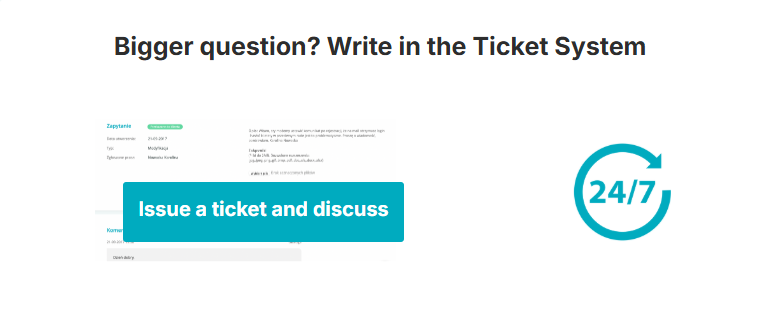
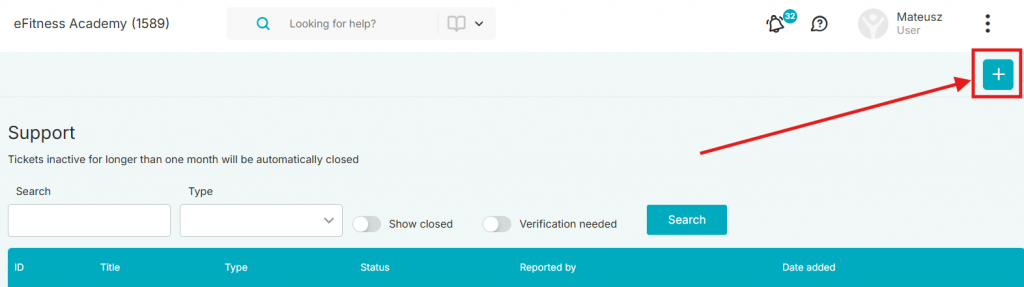
Next, click the plus icon in the upper right corner:
In the content of the request, send the data for a remote connection from the TeamViewer application
Wait for a remote connection to your computer.
If you do not have the TeamViewer application installed, you can download it from within the eFitness system. In the upper right corner, select the three dots icon -> Download
Select the TeamViewer program and install it on your computer
Payment on the Terminal in the System
Using the terminal, we can pay for installments and purchase bar products in the system. By default, only the option to pay for installments is available, so if you want to enable terminal payments for bar sales, send us a request. To do this, on the top bar in the system, select the cloud icon with a question mark -> the “Write to us” button:
To pay for installments, go to the Member’s profile, and then to the Memberships tab. Click the icon of a hand with a card in the upper right corner.
All installments for the active membership will then be displayed. Select which ones should be paid.
If you also want to register the member’s credit card, check the “Register credit/debit card” slider:
Card registration will mean that if the member has a membership with the selected payment method “Credit card,” the payment for installments will be debited automatically. You can find more about recurring payments in the article: How do recurring payments work?
In the case of bar sales, if the payment is to be made via the terminal, go to the Sales -> Bar tab or to the Member’s profile -> shopping cart icon in the upper right corner.
Sales -> Bar.
Sales on the Member’s profile.
Then, after adding products to the basket, click the “Pay” button. Next, select the “Pay by card” option.
Important! After integrating the terminal with the eFitness system and enabling the option for terminal payments for bar products, the “Pay by card” button will always be linked to making a payment on the terminal.
To check the payment status, go to the Finance -> Electronic payments -> Electronic payments tab:
If you only want to check payments made using the terminal, in the “Payment channel” filter, select “Payment on terminal” and click the “Search” button.