
Comissions are an effective way to increase customer engagement and build loyalty toward a fitness club. In the eFitness system, club owners and managers can easily create and manage reward campaigns that encourage regular workouts, referrals, and the use of additional services and offerings.
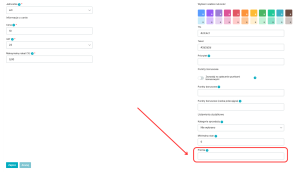
To add a comission to a product or membership, go to the item’s edit page. You can do this via the following tab:
Club settings > Configuration > Sales > Products and services (for products in bar)
Club settings > Memberships (for memberships)
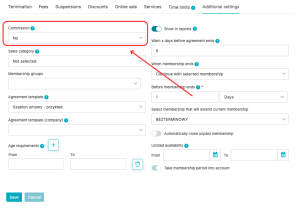
Once a bonus value has been assigned to a product or membership plan, the sale of that item by the assigned salesperson will be credited to their bonus account. The bonus balance for each employee can be tracked using the Comissions report, available under Reports > Finance > Comissions.
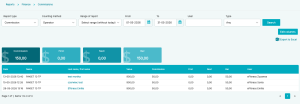
It is important to note that bonuses are not associated with any specific currency. The comissions system can be interpreted and calculated according to your own rules—for example, as currency units, cents, or percentages (for calculating a fixed comission payout).